Photoshop 101: Button-Mode Actions

I guess this could also be categorized as a workflow tip, but it’s good to know, no matter what you want to call it. I’d like to take a second to show you about Photoshop’s (and Illustrator’s) “Button Mode” in the actions palette. If you aren’t familiar with actions, they are customizable tasks that save [...]

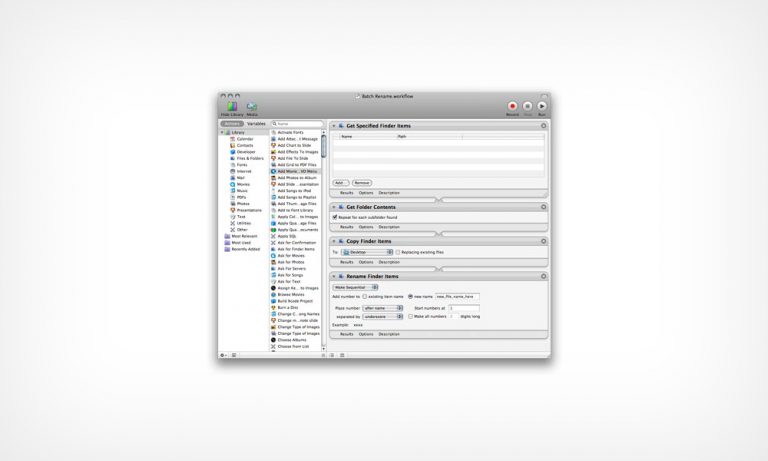
OS X Workflow: Batch Editing - Renaming a Long List of Files

I’m not sure if this will apply to everyone in the design world, but renaming a huge list of files can be a real pain, and I’ve found myself in need of batch editing countless times. It’s so much faster and easier to do a “Batch Rename” to save a ton of time, and a [...]

OS X: Convert Any Application Icon to 512 x 512 Image File

This might be a tip that is more useful for bloggers or tech writers than designers, but I’ve found myself in this situation plenty of times. I need an application icon to use as an image for one reason or another, I can’t find a decent one online, and all of the crappy conversion shareware [...]

Fix A Broken Photoshop Without Re-Installing

I want to share a very useful tip with all of you who have ever wanted to throw your computer across the room because of Photoshop for one reason or another. It’s inevitable, every once in a blue moon, software can just make your day a living hell for no obvious reason. It can be [...]

Illustrator 101: Escape Text Boxes without the Mouse

This is a quick Illustrator tip, but in my opinion, a priceless one if its new to you. Have you ever been typing in Illustrator and hit the “V” key to select the move tool (or any other tool shortcut for that matter), but instead, Illustrator just types a v? Yeah, it happened to me [...]