
Photoshop 101: Editing Indexed Color Images from the Web

This page may contain links from our sponsors. Here’s how we make money.
Have you ever plucked an image from the web and tried to edit it in Photoshop only to find annoying problems? It's probably a .gif in Indexed color mode. For this quick example I'm using the MediaTemple ad in my sidebar, which happens to be an indexed .gif.

When trying to edit an indexed color image in Photoshop, certain adjustments are disabled, as you can see below.

The quickest way to tell what you're dealing with is to glance at the Layers palette. You'll see right away if it's an indexed color image.
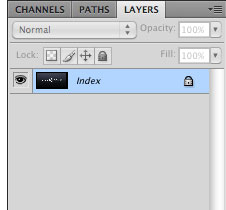
All you need to do in order to edit your image is simply change the color mode to RGB, and all of the annoying disabled features return.

