
Free Hi-Res Photoshop Brushes: Messy Spraypaint

This page may contain links from our sponsors. Here’s how we make money.
It's Photoshop Brush time again, and I've got a new set of 10 high res brushes for you. These aren't traditional spraypaint brushes, so “Messy Spraypaint” is as close as I could get to an accurate name. Most of them are 2500px, and I also included PNGs for anyone not using Photoshop. CS1 & CS3 brushes, PNGs, screenshots after the jump.
Screenshot:


You may be thinking that how these messy paint brushes can be useful in the artwork. Sometimes, we need to fill different spaces with messed-up colors or create a dusty painting. The common sign of messy spraypaint brushes is that they have rough boundaries with complex detail. Usually, the messy paint brushes are of low resolution due to intricate complexity but these fonts are of really high-resolution. This brush is also referred to as scattering brush. If the client advises you to do spray paint, then you must use these messy spraypaint brushes to get the things done. You must have the whole script ready for your work before you use these spraypaint brushes.
A couple of examples of what's inside:
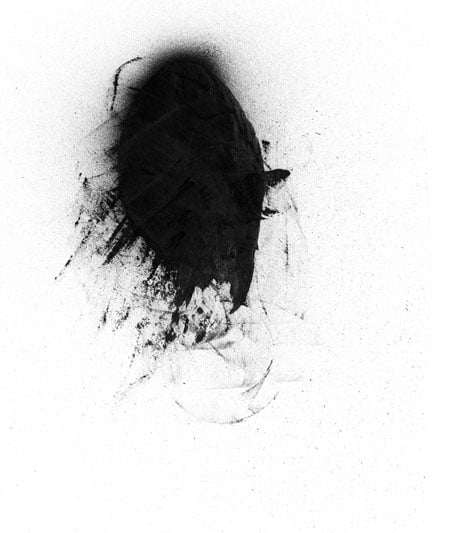

Download: Messy Spray Paint Photoshop Brushes
Installation:
- Download the file and unzip it.
- Copy the .abr file to your Photoshop/Presets/Brushes folder.
- In your Photoshop Brushes palette, click on the arrow in the upper right and click on “Load Brushes.”
- Navigate until you find the file and load it (Photoshop/Presets/Brushes/BB_HiRes_Messy_Spraypaint_CS3.abr )
Note: The next time you restart Photoshop you will not have to load the file, it will be in the list of Brush Libraries.
